Brownfield · Digitalising lean boards

Analogue board.
Digital data.

Analogue boardDigital data

Existing shop floor boards stay as they are. Their information is captured digitally and provided as structured data — without new boards and without duplicate data entry.

For integration into existing MES, ERP, BI or other systems, historisation, custom visualisations or AI evaluations.

  • No new boards
  • No duplicate data entry
  • No additional hardware
  • Board & routine stay unchanged
heijunka-board.nebolt.ai — PLANT 3 · LINE 07 · ASSEMBLY

Your analogue board

Heijunka, kanban, lean board, milk run, whiteboard etc. — existing and in use.

Digital capture

The existing visualisation is evaluated digitally — without additional input from employees.

Structured data

The relevant information is provided in a structured way, e.g. as JSON.

Use as needed

MES, ERP, BI, custom dashboards, historisation or AI evaluation.

The change

What changes — and what doesn't.

Digitalisation takes place in addition to the existing analogue way of working — not instead of it. This is brownfield digitalisation for the shop floor: your analogue board and the existing routine stay unchanged. No switching costs, no additional effort for employees — and therefore more acceptance and commitment.

Today — analogue board
  • Data disappears after every shift
  • No history, no trend analysis
  • Bottlenecks only visible on site
  • KPIs are calculated manually
  • Remote monitoring not possible
  • Consolidation across lines done by hand
With a digital data layer
  • Board and routines stay unchanged
  • No second data entry
  • Information is historised
  • Changes and deviations visible over time
  • Data can be reused in MES, ERP, BI or other systems
  • Custom KPIs and evaluations possible — AI optional

Not only the current state becomes digitally usable. By comparing successive board states, developments, recurring deviations and possible bottlenecks can be identified over time.

  1. MondayBoard state
  2. WednesdayDevelopment
  3. FridayTrend / alert

The digital layer

The data is the result — not the dashboard.

The existing boards remain the working tool on the shop floor. Their visualisation produces structured digital information. This can be integrated into existing MES, ERP, BI or other systems, historised, visualised individually or evaluated by AI.

An AI layer can optionally be added on top of the structured data — for example for summaries, pattern recognition, alerts on deviations or other custom analyses. This makes AI usable on a shop floor that otherwise remains analogue.

Analogue board

Existing visualisation on the shop floor

digital capture

Without additional input

structured data

JSON / API / flexible output

Use

MES / ERP / BI · Historisation · Dashboard · AI

Brownfield

Existing boards, processes and systems stay.

Brownfield digitalisation for the shop floor. Existing boards, processes and routines are retained. nebolt.ai adds a digital data interface — without duplicate data maintenance and without replacing existing IT/OT systems.

Use the existing landscape

Boards, lean routines and existing investments stay in use. The digital layer is added — with little change for employees.

Complement MES, ERP and BI

The structured board data can be provided to existing MES, ERP, BI or other systems. nebolt.ai does not replace these systems.

SCADA and MDC/PDC stay

Where MES, SCADA, machine/production data collection (MDC/PDC) or ERP are already in use, the information obtained from the board can add information from visual shop floor management to existing production, machine and operating data.

Start even without MES

A pilot is possible independently of existing IT systems. Integration is optional — not a prerequisite.

Examples

Which boards can be made digitally usable?

In principle, any physical board with a regular routine — whether visual board, lean board, control board or whiteboard. Not tied to a specific board template; existing boards can also be made digitally usable retrospectively. Individual board structures and company-specific logic can be taken into account.
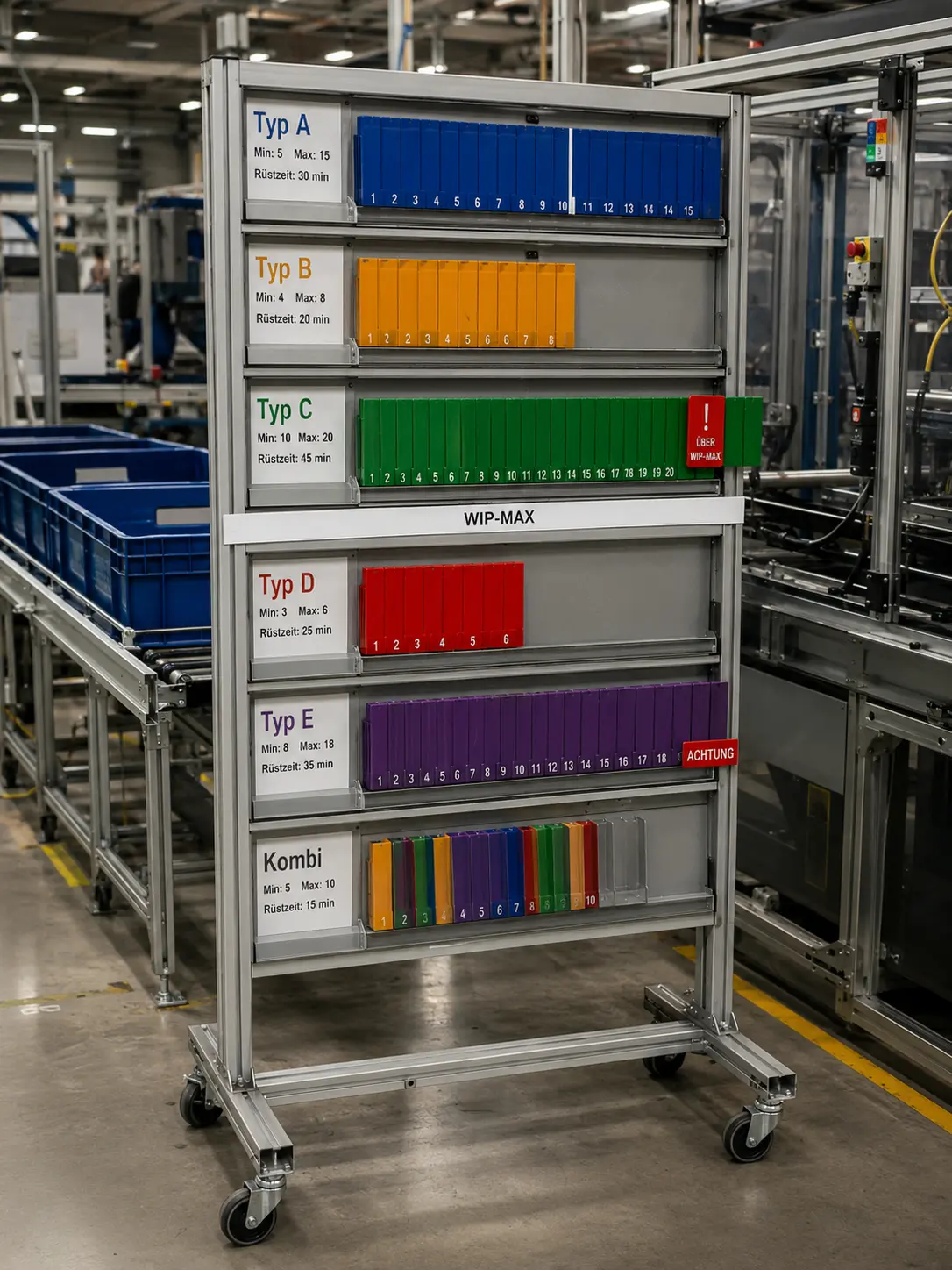
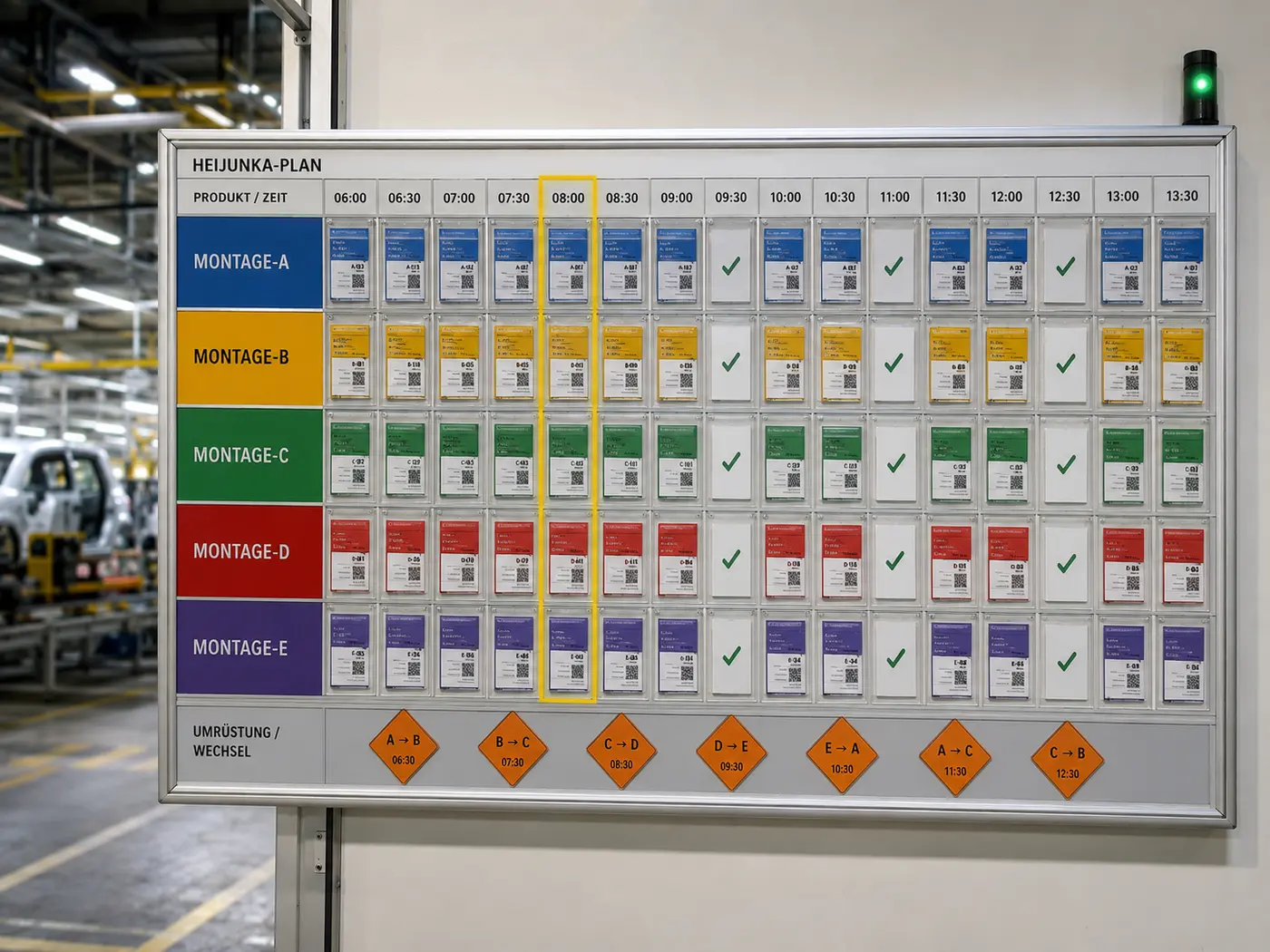
Heijunka board at the production line
Heijunka

Heijunka

Make batches, sequences and deviations visible.
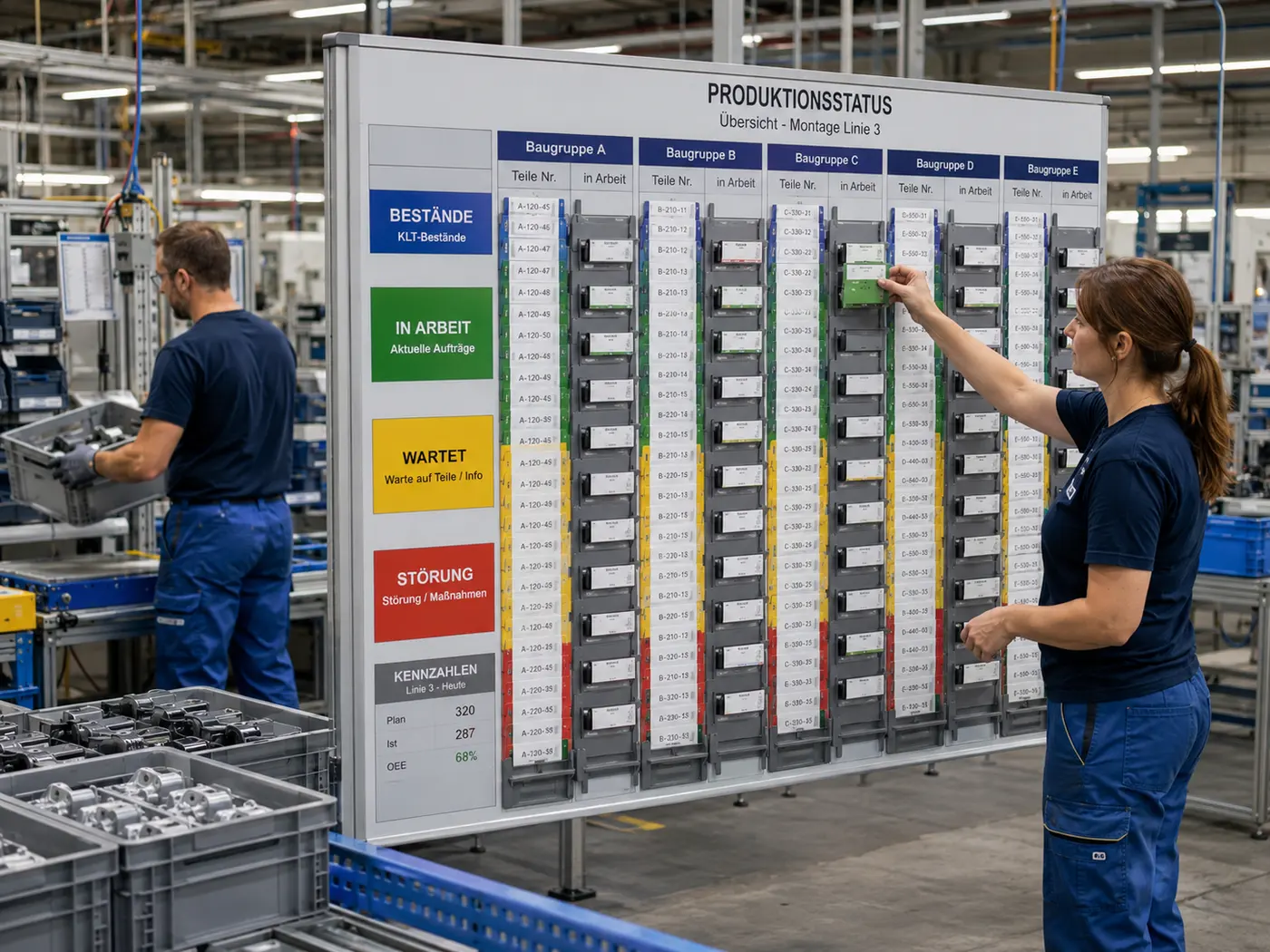
  • Cycle times captured automatically
  • Pitch deviations visible
  • Shift comparison without extra effort
Kanban board in production
Kanban

Kanban / e-Kanban

Track flows, status and blockages.

  • Stock status digitally visible
  • Replenishment signals with timestamps
  • Spot bottlenecks before a standstill
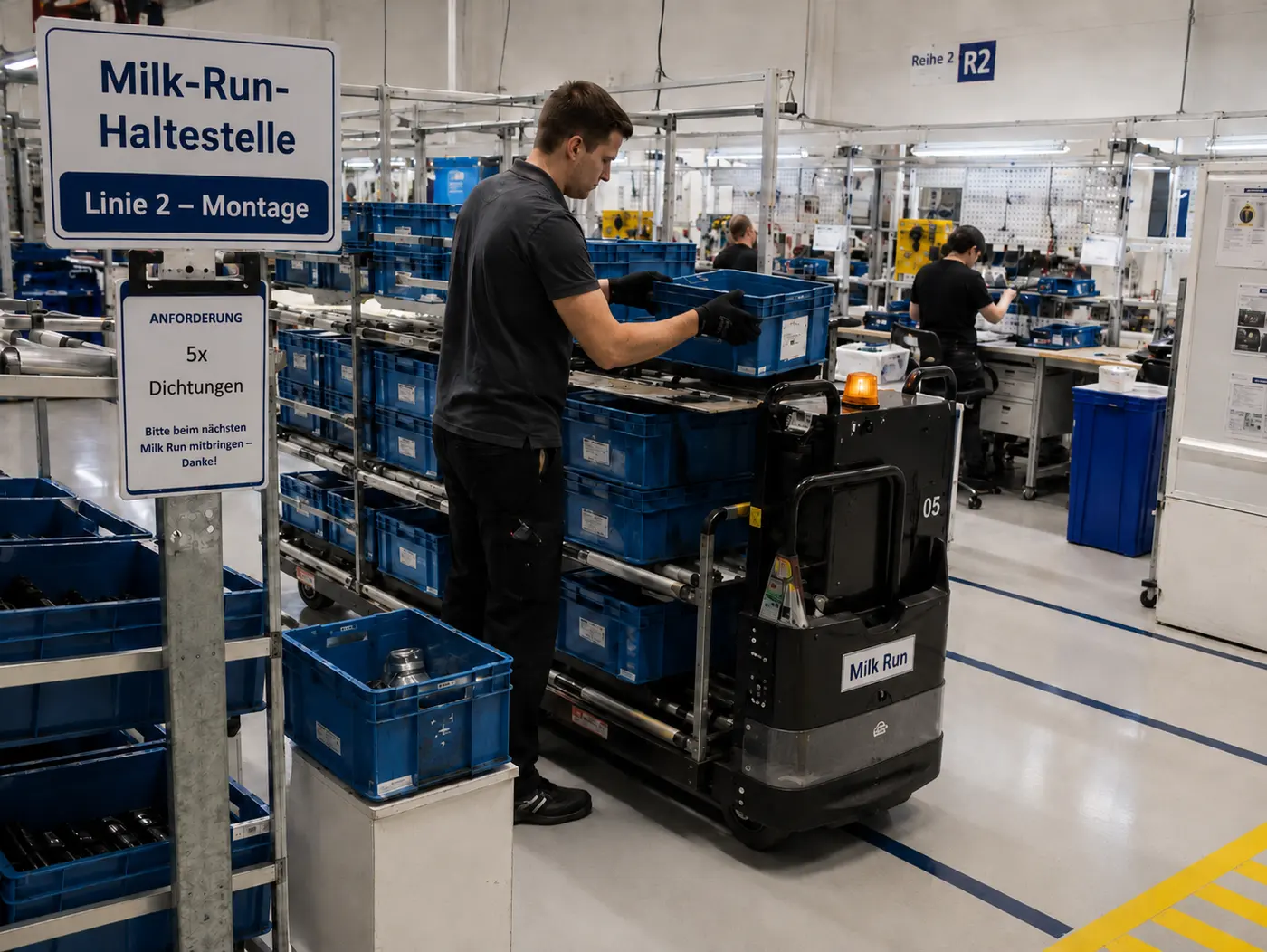
Milk run board in assembly
Milk Run

Milk run / intralogistics

Track rounds, delays and bottlenecks.
  • Status per station digitally usable
  • Automatic delay alerts
  • Remote view for logistics management
Lot size planning board
Lot-size

Lot size / planning

Compare plan, capacity and priorities.
  • Plan fulfilment rate automatically
  • Deviations documented
  • Historical trend analysis
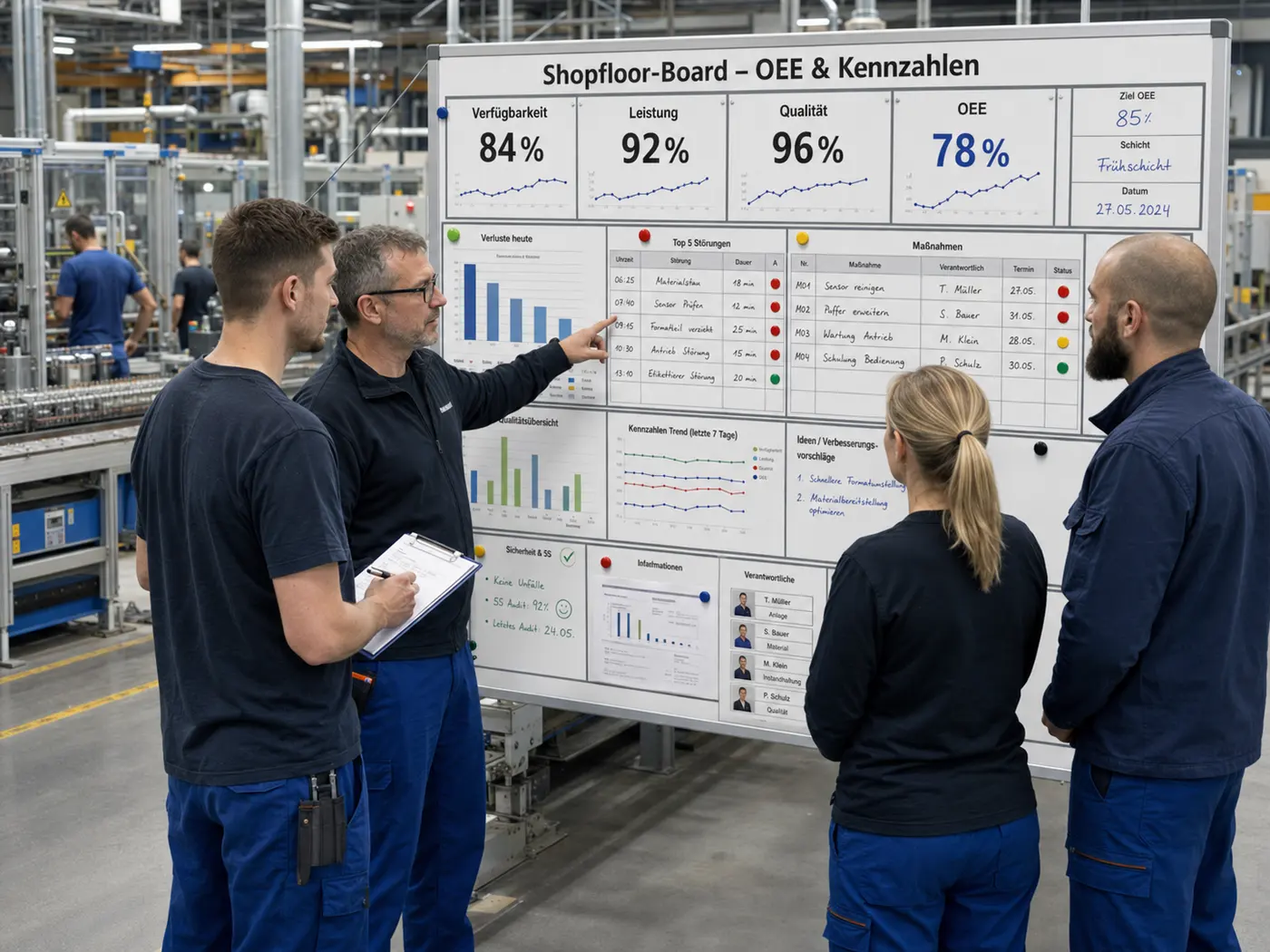
Lean board with OEE overview
Lean Board

Lean board / shop floor board

Keep visual management, gain digital visibility.
  • KPI history recorded
  • Actions and responsibilities digital
  • Structured shift handover
  • Existing indicators such as OEE can be adopted
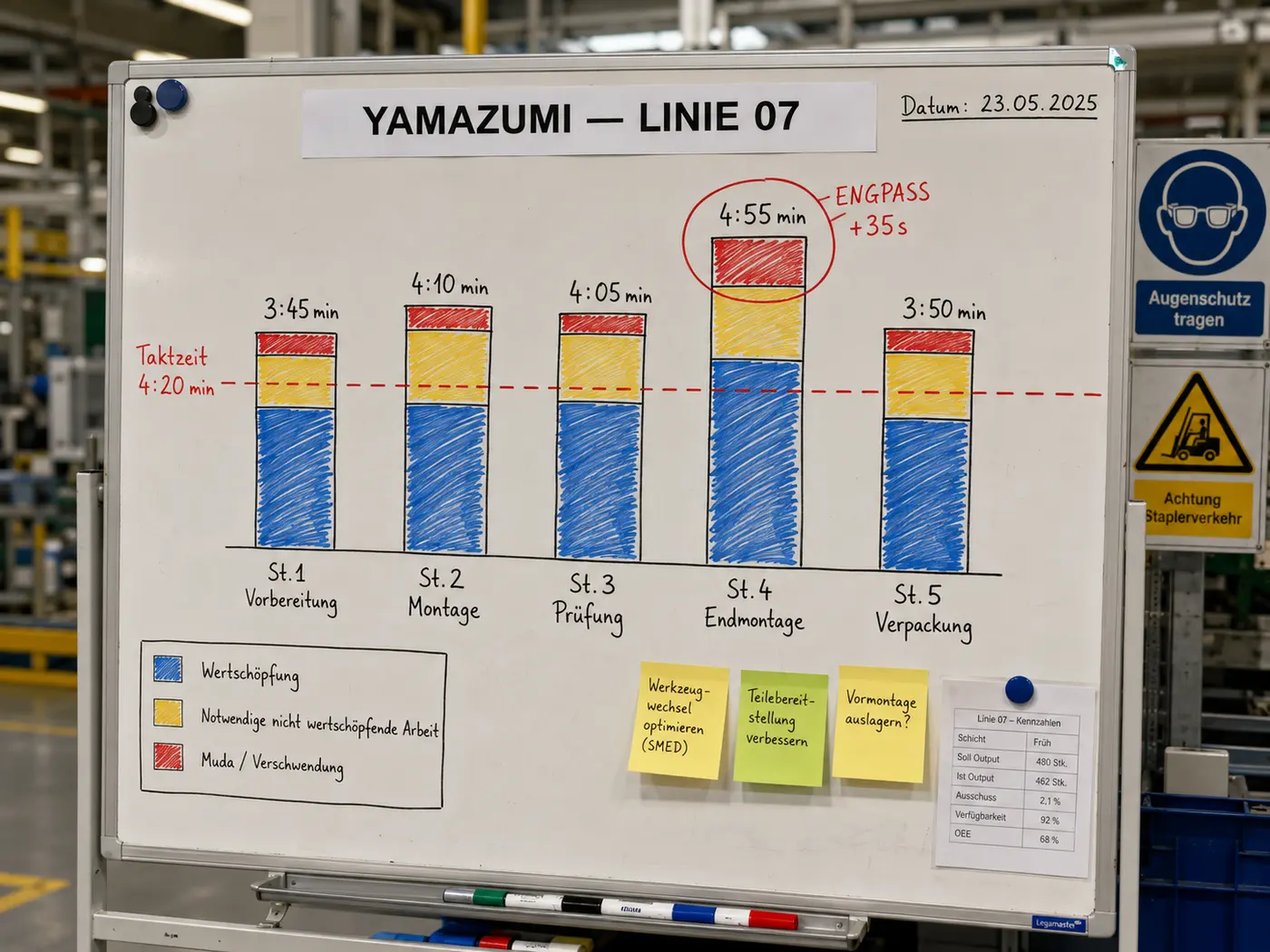
Yamazumi and quality board
Maintenance / quality

Maintenance & quality

Identify open actions, recurrences and priorities.

  • Error rates captured automatically
  • Digital maintenance history
  • Patterns and recurrences visible

Existing indicators such as OEE can be adopted, historised and — if the required source data is on the board — also calculated automatically.

Scaling

From a single board to a network of sites

Information from several boards, lines or plants can be combined and aggregated at higher levels. The level of detail on the shop floor is preserved. The starting point remains a single board — extension once the added value has been validated.

  1. BoardShop floor
  2. Line / plantAggregation
  3. SitesNetwork

Demonstrator — example use

BoardScan — from analogue board to digital data

The demonstrator shows one possible use of data obtained from an analogue board. The visualisation is just an example — the structured information can just as well be transferred to existing systems or evaluated differently.

BoardScan · Heijunka board · PLANT 3 · LINE 07
Request a pilot for my board

Pilot project

Send us your board.
Receive a first pilot proposal.

Photos of your current board are optional — they help prepare a personalised proof of concept. Upload up to 5 photos, or send the request without photos. No automatic image analysis takes place.

Optional: 0–5 photos (JPG, JPEG, PNG, WEBP, max. 8 MB per file). Please do not include unnecessary personal data in the photos.

Select photos or drop them here
Optional · JPG, JPEG, PNG, WEBP — max. 5 files, 8 MB each

What happens after you submit?

01

Assessment of the use case

We analyse your board and your process. First feedback within 48 hours.

02

Pilot proposal

We propose concretely which information from the existing board can be made digitally usable and how the structured data can be reused — e.g. integration, historisation, custom visualisation or AI evaluation.

03

Pilot project on real data

The pilot scope is deliberately limited. Extension only after the added value has been validated.

No big IT projectLean entry without ERP/MES intervention and without system rebuilding. Start even without MES.
Low switching costsExisting boards and routines are retained.
Relevant dataOnly the indicators and events you need to steer.
Interpretable resultsStructured, usable evaluations instead of mountains of raw data.

No risk

  • No ERP/MES intervention required
  • Boards and routines stay unchanged
  • Limited investment to start
  • Extension after approval decision

Pilot project — methods & board set-ups

The principle adapts to different methods, board types and environments.

The principle can be transferred to very different methods, board logics and configurations — for example heijunka, kanban, OEE, DMAIC, 5S or andon boards. No standard template required: the existing layout stays. Special environments can also be assessed as part of a pilot project.

Artfees — project whiteboard tracker · Kanban / RASCI / insights

What this example also shows

The Artfees whiteboard is an individual board — not a standard template. The existing layout stays. The demonstrator shows an example visualisation of the data obtained; the same structured information can also be used differently. It contains a Scrum/kanban set-up and a RASCI matrix.

  • Mixed methods — Scrum / kanban combined with a RASCI matrix
  • Non-standardised structure — individual whiteboard logic instead of a standard template
  • Difficult handwriting — meaningful insights despite inconsistent notes
  • Relevant evaluation — responsibilities, status, open points and patterns become visible
  • Highly transferable — suitable for many other board configurations and lean methods

Other digital solutions

Other lightweight digital tools for more efficiency

In addition to digitalising analogue boards, we develop small, autonomous and easily customisable software solutions for specific operational processes.
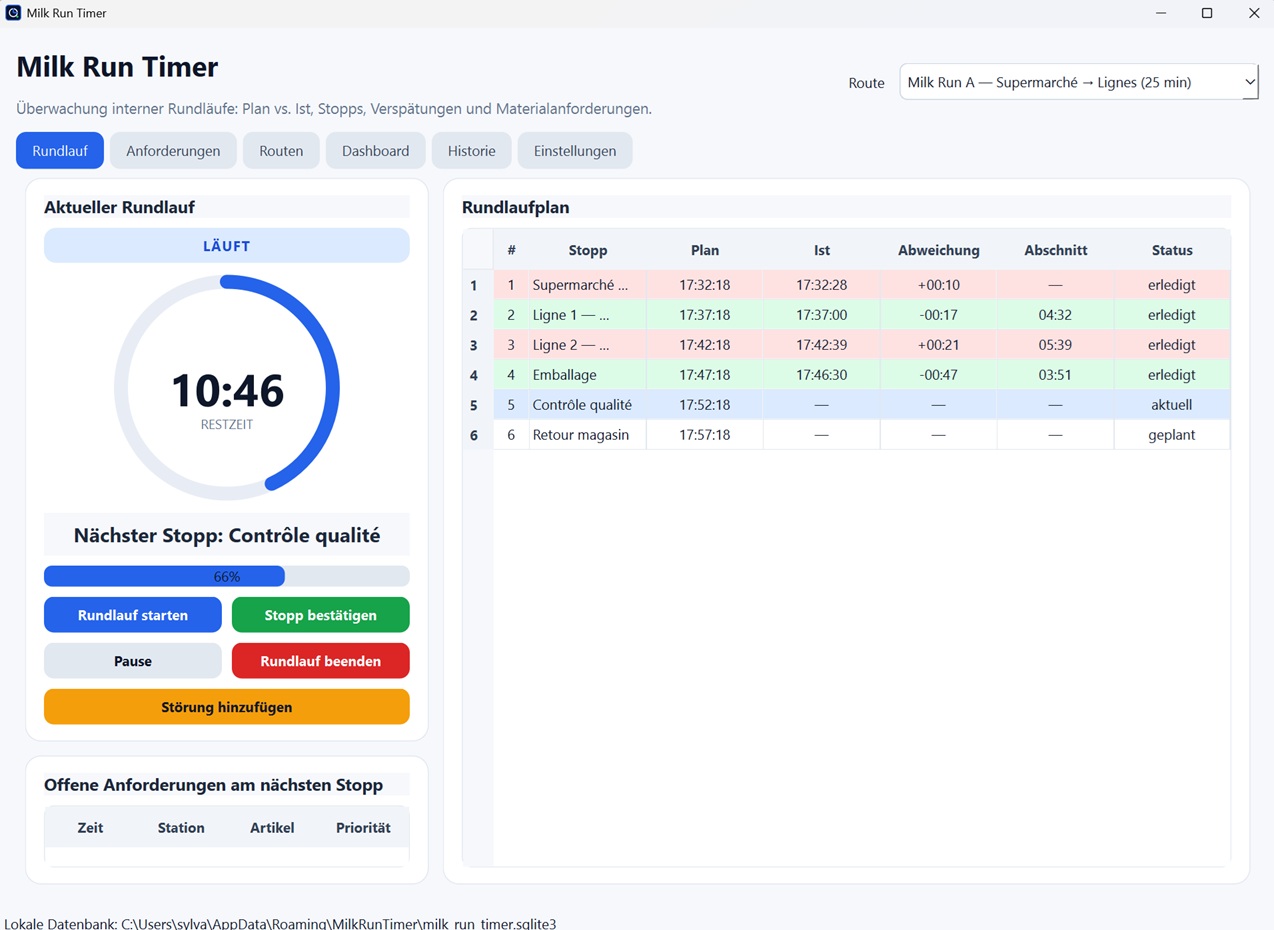
Milk Run Timer — live countdown per station
Intralogistics

Milk Run Timer

Pace and track rounds and stations. Live countdown, alerts, historisation.
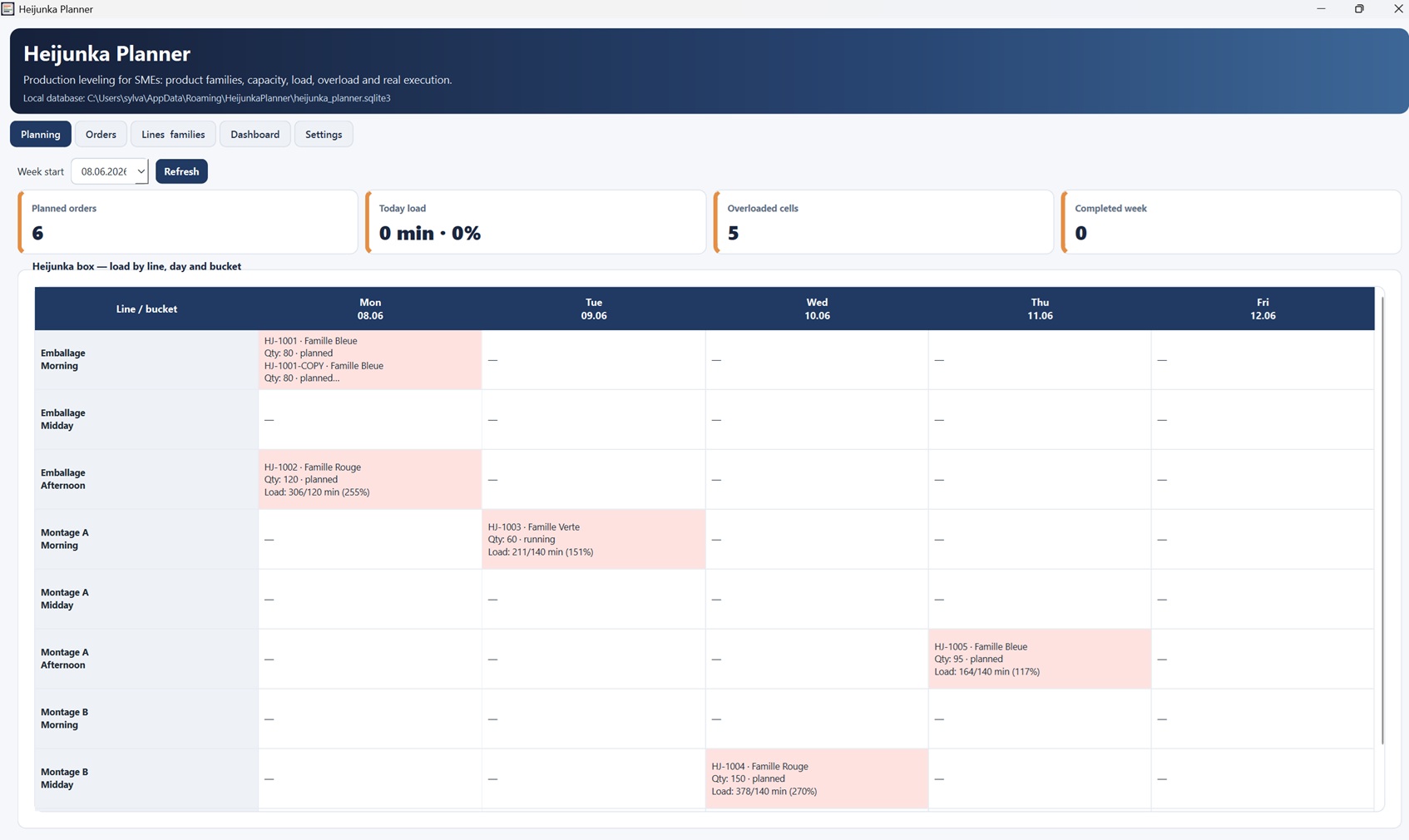
Heijunka Planner — planning and deviations
Production planning

Heijunka Planner

Structure planning and visualise deviations from target.
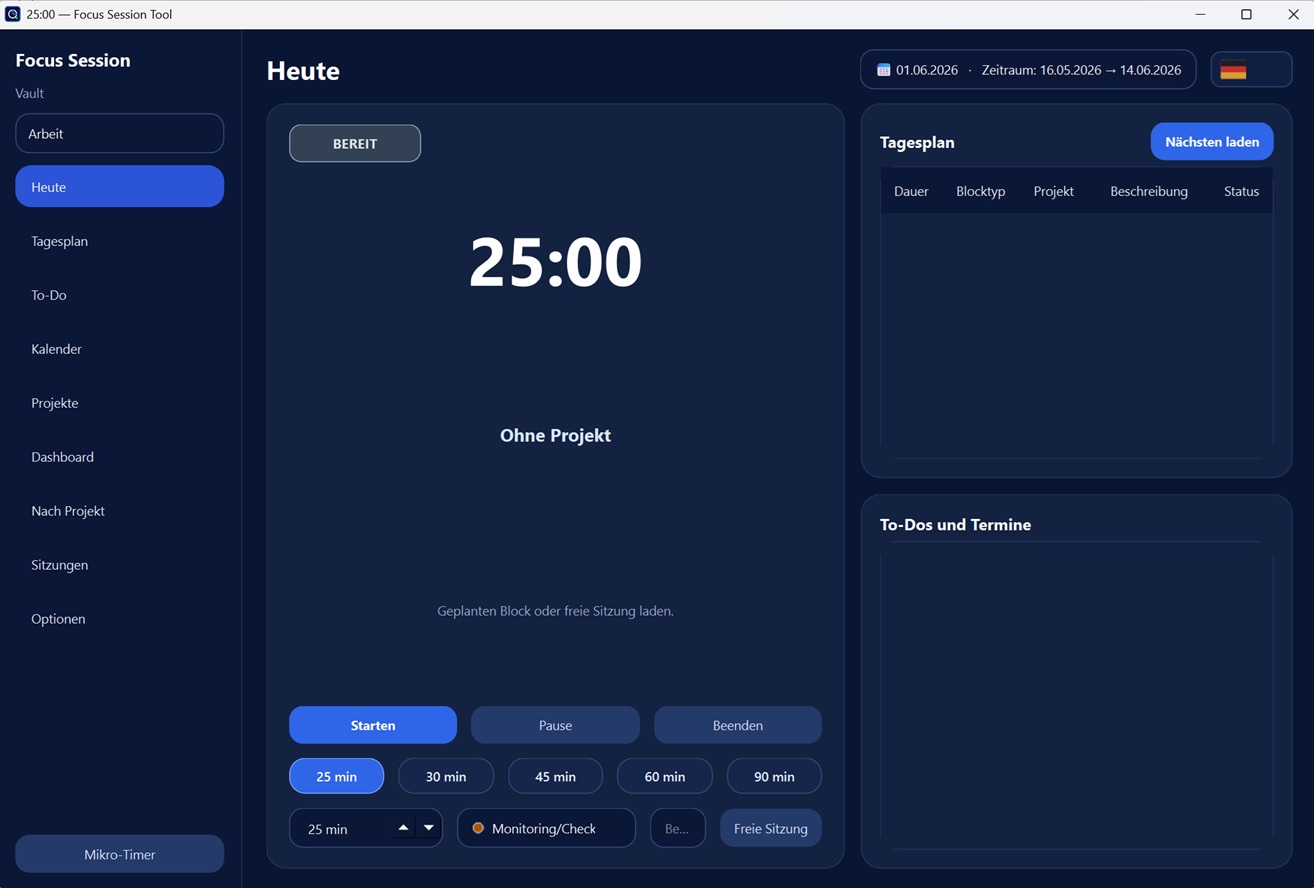
Task Planner — tasks and team routines
Team / tasks

Task Planner / Pomodoro

Structure and track tasks, focus cycles and team routines.

Industrial AIOEE Performance Analyzer software packageOpen-source software package for AI working environments. The analyzer combines deterministic OEE calculation with an AI-assisted, traceable classification of production losses.View the OEE Performance Analyzer
Discuss another need

FAQ

Frequently asked questions

No. Boards and routines are fully retained. The digital layer is added — without changing the operators' day-to-day work.
No. That is exactly what we want to avoid. The existing analogue board and the familiar way of working are retained.
No. The aim is precisely to make the information already on the board digitally usable without introducing a second data entry.
No. A dashboard is just one possible use. The structured data can just as well be integrated into existing systems, historised or used for AI evaluations.
No. The pilot starts independently of existing IT systems — even without MES. Providing the structured board data to MES, ERP or BI later is possible but not a prerequisite. SCADA and machine/production data collection can continue in parallel.
No. nebolt.ai is not an MES and does not take over SCADA or machine/production data collection. Where such systems are already in use, the information obtained from the board can add information from visual shop floor management to existing production, machine and operating data.
Yes. The starting point remains a single board. Information from several boards, lines or plants can then be combined and aggregated at higher levels — the level of detail on the shop floor is preserved.
Photos are optional (0–5). You can submit your board with photos or send the request without photos. We assess the use case manually and propose a pilot project — without any technical knowledge required on your part and without automatic image analysis.
A first pilot scope typically runs for 2–6 weeks. The scope is deliberately limited in order to reach a measurable result quickly.
No. The structured digital provision and historisation of the board information alone already create added value. The data can be integrated into existing systems or visualised individually. An AI evaluation is optional.
Primarily for manufacturing SMEs — but the approach scales. The solution does not require a large IT budget, an internal IT team or a long project duration.
The demonstrators show examples of what can be done with the data obtained — not the product itself and not a fixed template. The BoardScan example illustrates one possible visualisation for a heijunka/lean board. The Artfees example shows the same principle for an individual project whiteboard (kanban/RASCI/Scrum). Both serve as a starting point — the pilot is tailored to your specific case.
After the pilot project you receive a clear report with results and a recommendation. Extension to further boards, lines or sites only takes place after your decision — once the added value has been confirmed.

Next step

Do you have a board that should be digitally usable?

Submit it. We assess the use case and propose a first pilot project — without obligation.

All toolsSituation assessmentInitial call